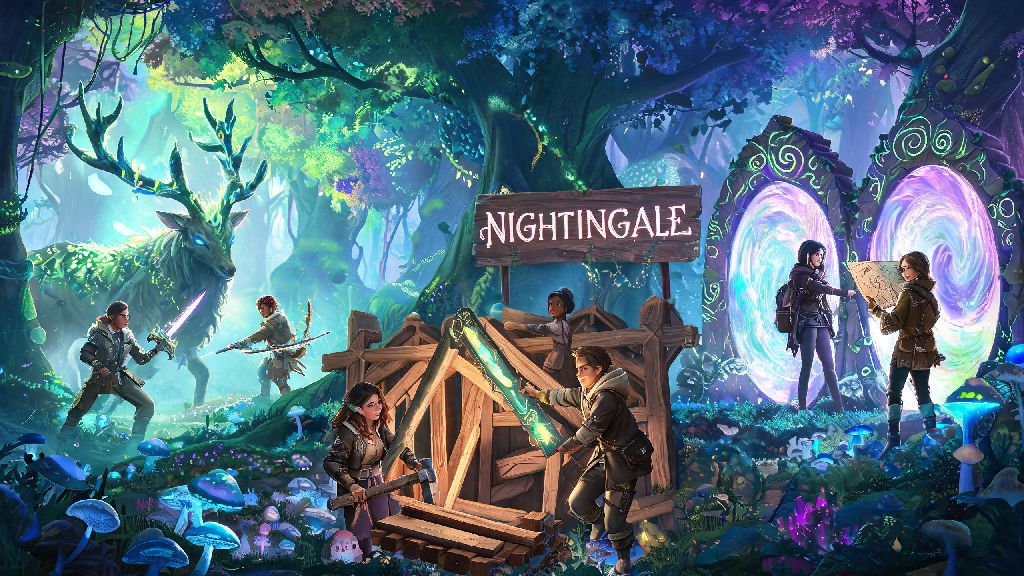
There’s nothing better than exploring the Fae Realms of Nightingale alongside people you know, whether you’re hunting giant magical beasts, building a shared homestead, or navigating tricky portal networks. If you’ve been confused by the game’s slightly hidden multiplayer setup or ran into frustrating lobby errors when you tried to team up, you’re not alone. This guide breaks down exactly how to play Nightingale with friends, from pre-game setup to fixing the most common co-op hiccups players run into. I’ve spent over 70 hours in co-op mode testing different setups, so I’ve also included little-known tricks to make your group runs way more efficient.
How to Play Nightingale with Friends: Full Setup Walkthrough
First, double check that every person in your group has the same game build installed. Outdated patches are the number one cause of failed co-op connections, so have everyone restart their game launcher to grab any pending updates before you start. You don’t need to be on the same store platform to play together, but crossplay does need to be enabled in your game settings first.
Start by completing the initial tutorial until you reach your first Abeyance Realm. You can’t invite friends until you’ve finished the opening story segment and unlocked the realm travel menu, so don’t skip this step if you’re a new player. Once you’re in your Abeyance Realm, open the menu and navigate to the Social tab to send friend requests or add existing platform friends to your Nightingale friend list.
From there, you can either invite a friend directly to your current realm, or create a party to travel to new realms together. If you’re hosting, make sure your realm privacy setting is set to Friends Only or Invite Only to avoid random players joining your game. If you want to join a friend’s realm, you’ll need to accept their invite first, then travel to their Abeyance Realm via the portal menu. Keep in mind that only the host keeps world progress for realms they own, so if you want to keep shared base builds, make sure the same person hosts every time you play together.
Essential Co-op Rules to Avoid Conflict With Your Group
Nothing kills a fun co-op run faster than miscommunication over resources or base builds, so it’s worth setting a few ground rules with your group before you get too deep into the game. I’ve seen too many groups fall apart because someone accidentally used all the rare iron to build a decorative statue when the team was saving up for a new portal, so these rules will save you a lot of frustration later.
First, agree on shared resource storage rules early on. Mark a specific set of chests as community storage, and make it clear what resources are okay to take for personal use versus what needs to be saved for group projects. It’s also a good idea to assign loose roles if you’re playing with a consistent group, to cut down on duplicated work.
You don’t have to stick to roles 100% of the time, but having loose assignments makes your runs way more efficient. You should also agree on what realms you’re going to visit next, so no one accidentally wastes a rare realm card on a biome no one else wants to explore. Also, make sure no one leaves a realm mid-fight with a world boss, because that can cause the boss to despawn and waste all the prep work your group put in to summon it. Oh, and never dismantle a shared base structure without asking first – that’s the fastest way to start a fight with your friends, trust me.
Fixing the Most Common Nightingale Co-op Errors
Even if you follow the setup steps perfectly, you might run into a few common errors when playing with friends, especially after new game patches drop. Most of these are easy to fix in less than a minute, no technical expertise required.
The most common error is the “failed to join realm” message that pops up when you try to accept a friend’s invite. 9 times out of 10, this is because one of you has a pending game update, or your internet connection is dropping packets. If updating doesn’t fix it, have the host restart their game and re-invite you, that almost always resolves the issue. If you’re playing on PC, make sure your firewall isn’t blocking Nightingale’s online access, that’s another common hidden cause.
Another frequent issue is inventory desync, where items you pick up don’t show up in your inventory, or resources you place in chests disappear for other players. If this happens, fast travel back to your Abeyance Realm and rejoin the shared realm – this resyncs your game state with the host’s, and your missing items will almost always reappear. Don’t try to pick up more items when you’re desynced, because that can make the issue worse and lead to permanent item loss in rare cases.
If voice chat isn’t working in game, you don’t have to fix it to play together. Most groups use external voice chat apps anyway, since they’re more reliable and have better sound quality, but if you want to use in-game chat, make sure you’ve selected the right input device in your audio settings, and that you haven’t muted other players by accident.
Tips to Make Your Co-op Runs Way More Fun and Efficient
Once you’ve got the basics of co-op play down, there are a ton of little tricks you can use to make your group runs way smoother, and get more done in less time. These are all tips I’ve picked up from dozens of co-op runs with my own friend group, and they’ve cut our resource farming time in half.
First, always make sure at least one person in your group has the traveler trait unlocked, which reduces the cost of realm travel by 20%. That adds up fast when you’re jumping between multiple realms in one play session, and saves you a ton of rare portal materials over time. If you’re exploring a high level realm, have at least two players specced into healing abilities, so you can revive each other quickly if you run into a pack of tough Fae enemies.
You can also split up to farm resources faster, but make sure everyone stays within a few hundred meters of each other. If you get too far apart, the game will despawn enemies for players who are too far away, and you might miss out on rare loot drops from world bosses. It’s also a good idea to share waypoints with your group whenever you find a rare resource node or a hidden chest, so everyone can come grab the loot when they’re done with their current task.
If you’re playing with a group of new players, don’t rush to high level realms right away. Take time to explore lower level realms together, gear up everyone equally, and unlock better crafting recipes before you take on harder content. There’s no fun in running a level 20 realm when half your group is still wearing level 5 gear and gets one-shot by every enemy you run into.
At the end of the day, Nightingale is built for co-op play, and exploring the Fae Realms with your friends makes every challenge way more rewarding. You don’t need any special setup to get started, just follow the step-by-step guide, set a few simple ground rules with your group, and you’ll be ready to take on even the toughest Fae beasts together. If you run into issues, don’t panic – almost all co-op errors have simple fixes that take less than a minute to apply. Now that you know how to play Nightingale with friends, grab your group, stock up on healing potions, and go explore everything the realms have to offer.